Production Logistics Simulation
We test operation sequences, routes, bottlenecks, and autonomous equipment interaction in a virtual environment.
Error
An error occurred during the request.
Nothing was found
Try to change the query
We create digital twins of production and warehouse processes: from forklift routes and QR-based pallet placement logic to micro-loaders, patrol drones, and digital equipment models.
Focus area
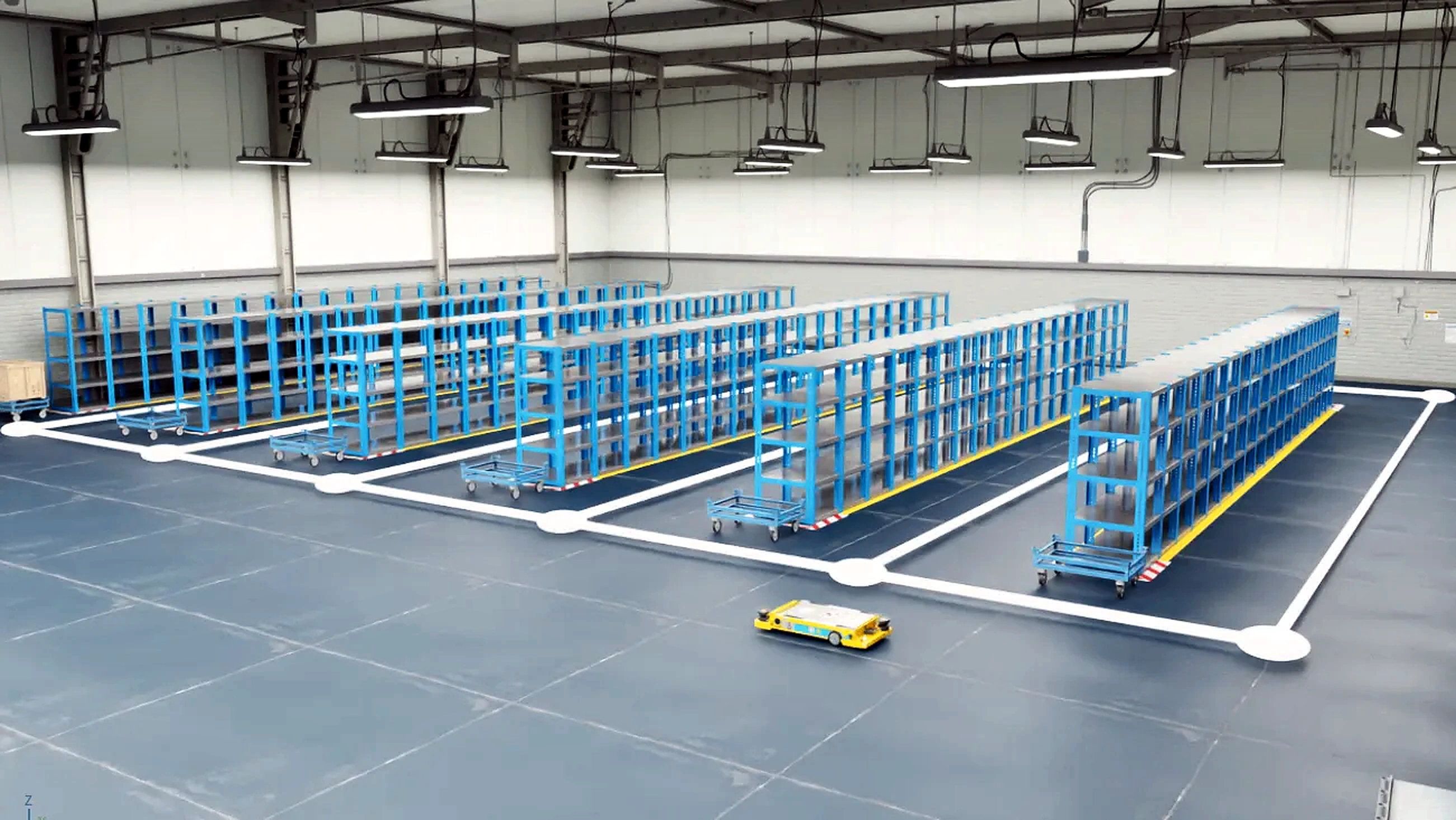
Digital Factory helps test automation scenarios before implementation: how robots move, where intersections occur, how pallets are distributed, and how the system responds to available slots, waste, queues, and route changes.
We test operation sequences, routes, bottlenecks, and autonomous equipment interaction in a virtual environment.
A QR code on the box points to the target cabinet and helps the system understand where free storage space is available.
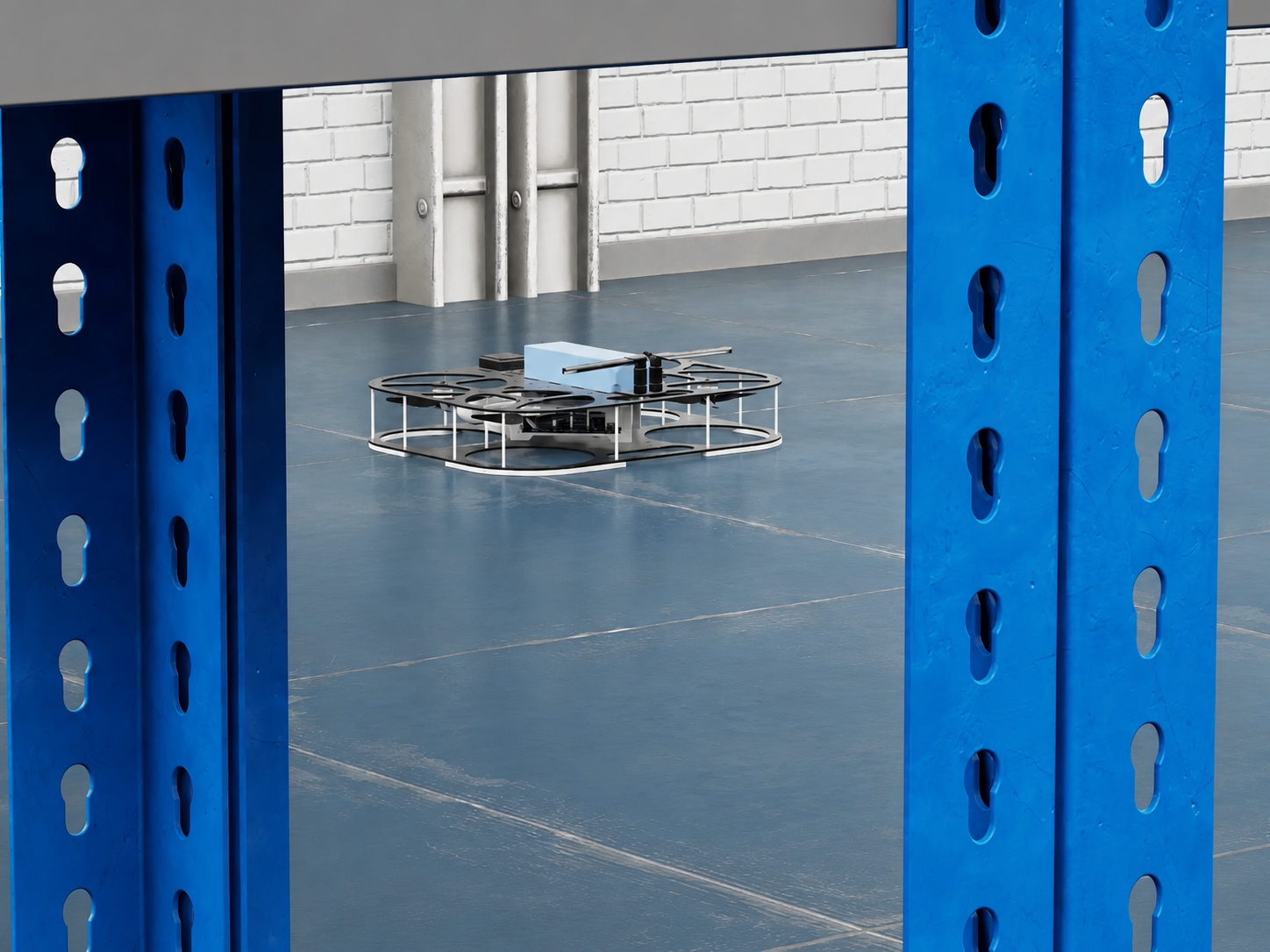
A patrol drone follows a warehouse route and can inspect the area for waste or unexpected objects.
Solution Architecture
Digital Factory is not built around a single 3D picture, but around connected data, a virtual scene, movement rules, equipment events, and operator control. This architecture makes it possible to test production and warehouse scenarios before implementation, identify bottlenecks, and gradually connect the digital model to the real process.
A 3D model of the workshop, warehouse, racks, dock shelters, conveyors, cabinets, movement zones, and process constraints.
QR codes, pallet statuses, coordinates, free cells, route occupancy, and events that connect the model with process logic.
Nodes, edges, priorities, waiting zones, and passing rules for forklifts, micro-loaders, robots, and other autonomous equipment.
Palletizing, wrapping, movement to a cabinet, free-space selection, transfer to a dock shelter, and handling of non-standard situations.
Computer vision for detecting waste, obstacles, foreign objects, clear aisles, and events in the warehouse zone.
Testing queues, conflicts, route intersections, zone load, and system responses to changing input conditions.
Monitoring screen, equipment statuses, event logs, manual override, inspection tasks, and a clear picture of shift operations.
Project Example
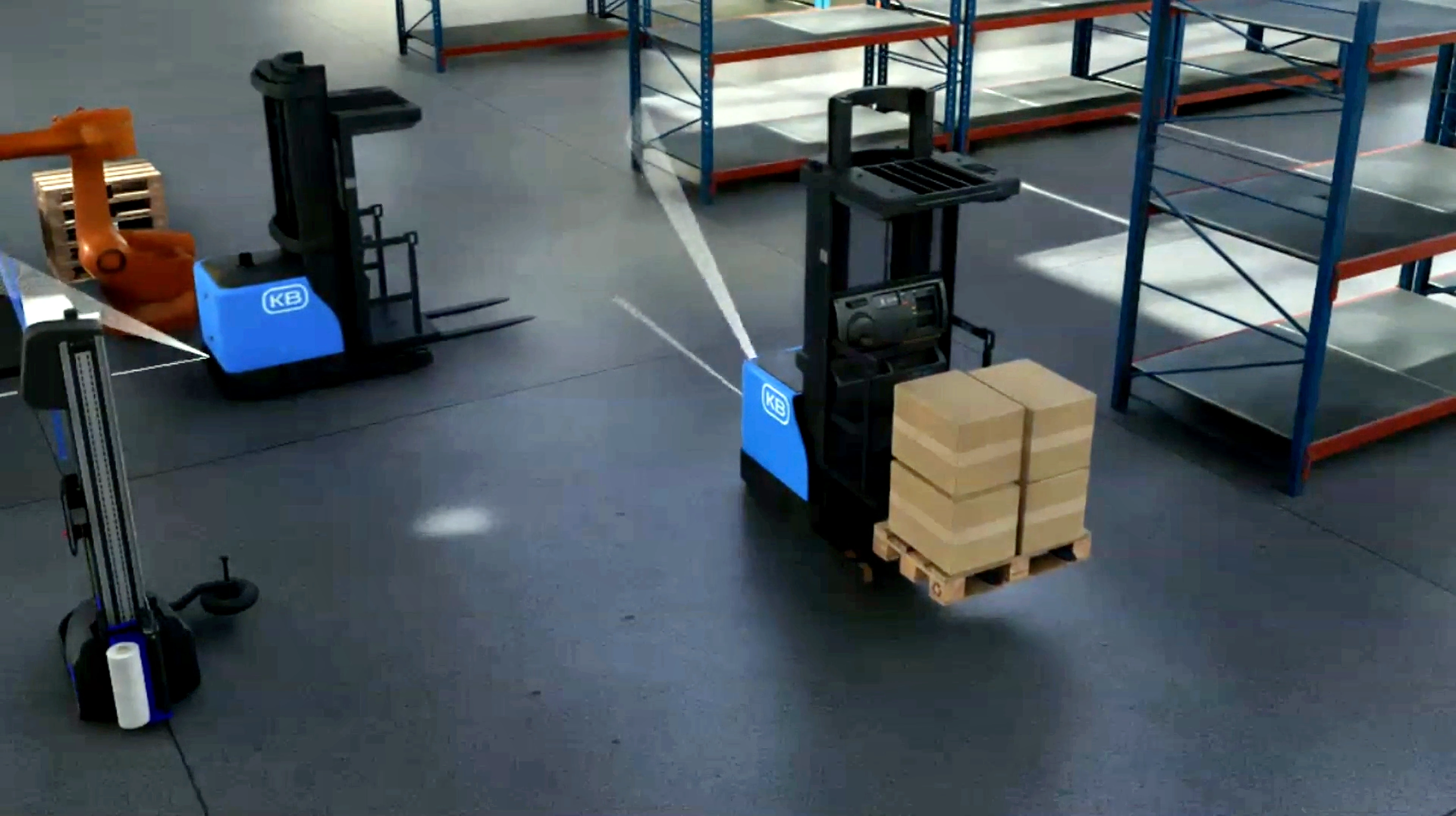
The scenario describes the product path from box movement to the dock shelter. The model automates robotic arms, forklifts, cabinets, the wrapping robot, and route planning by graph coordinates.
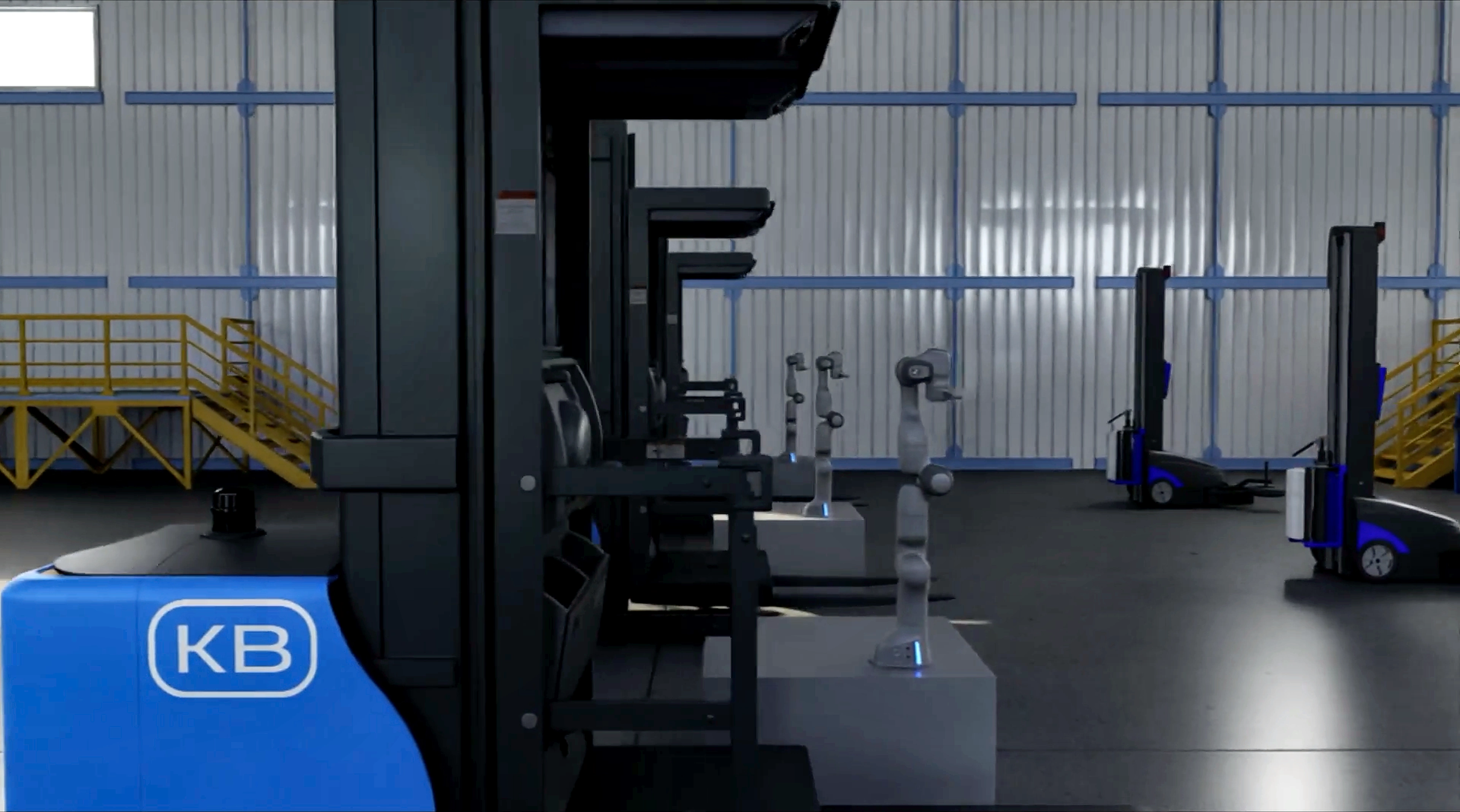
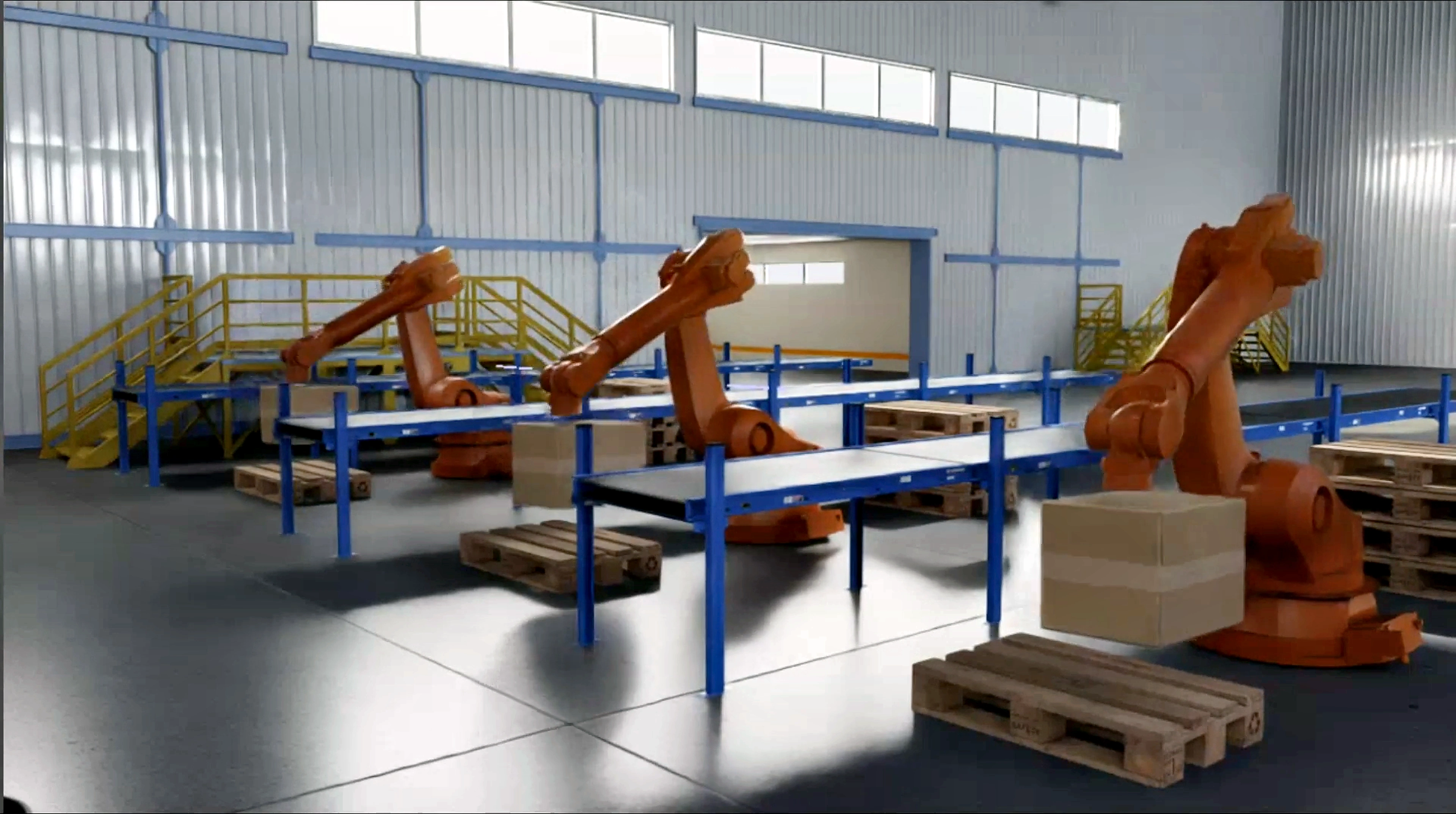
First, the robotic arm places one box; then several boxes form a pallet unit according to the configured stacking logic.
The forklift builds a route using factory graph coordinates and delivers pallets to the packaging zone for the wrapping robot.
Wrapping robots wrap pallets and apply a QR code: the identifier of the pallet location and status in the system.
Forklift robots deliver pallets to the racks. The storage location depends on the information encoded in the QR code.
Forklift robots automatically select the required pallets and load them into the dock shelter.
The system automatically resolves route conflicts: passing, right-of-way order, and occupancy of narrow areas.
Projects
The page brings current work into a clear portfolio: a factory digital twin, a warehouse with micro-loaders and a patrol drone, plus equipment digital twins.
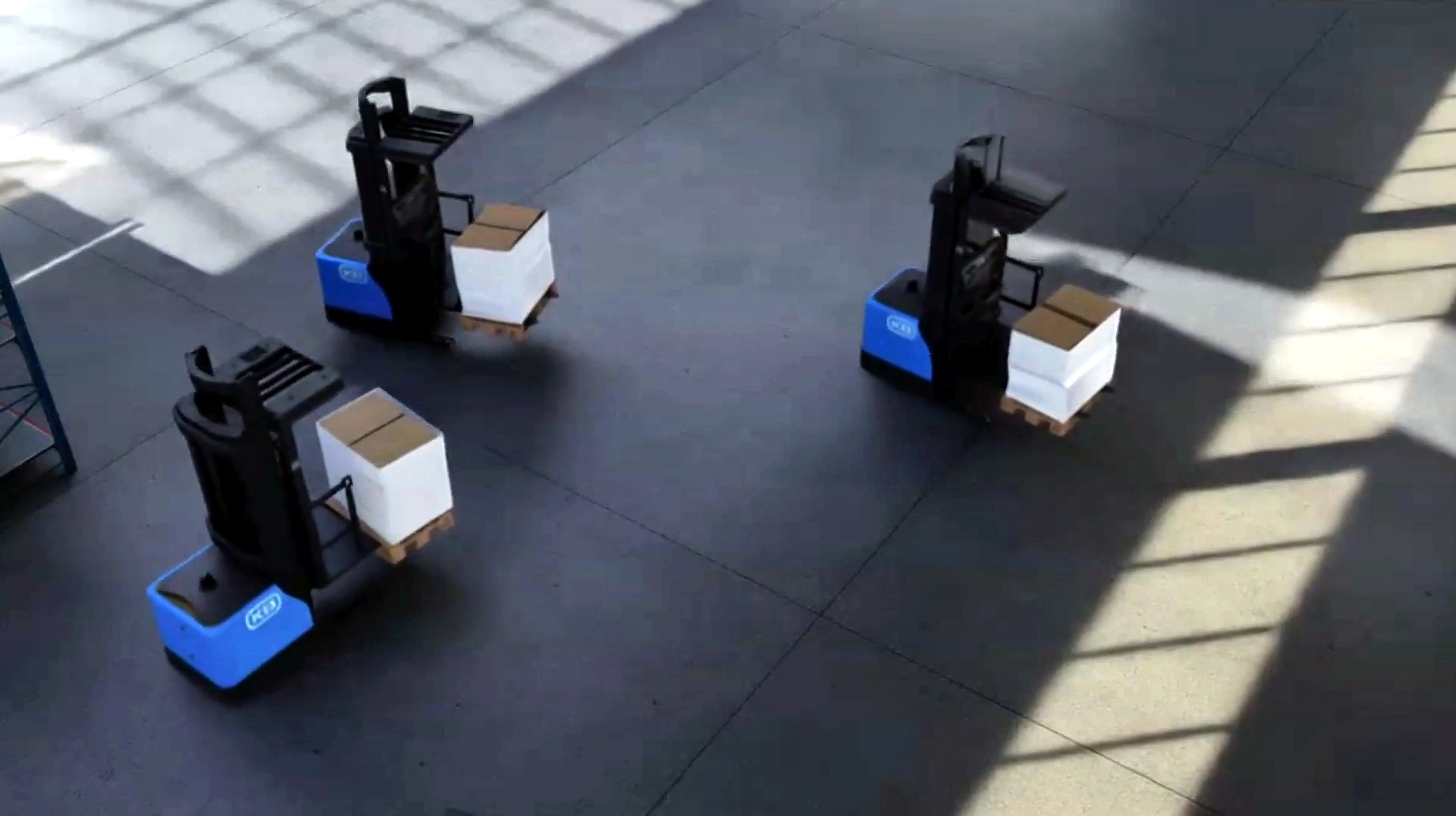
A Hikvision-style factory scenario: small boxes move through the warehouse on autonomous micro-loaders. Routes can be checked for intersections, zone occupancy, queues, and movement efficiency.
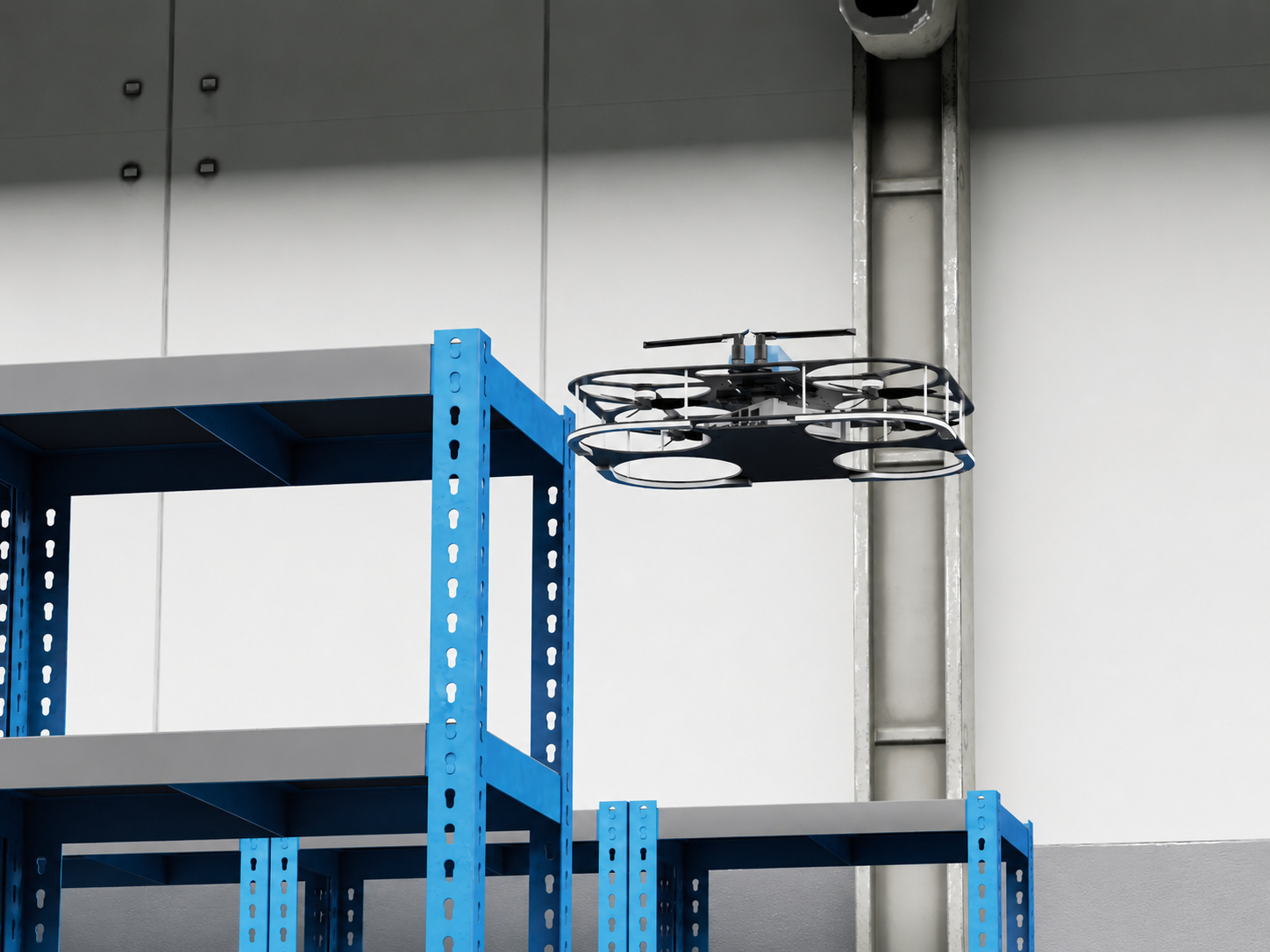
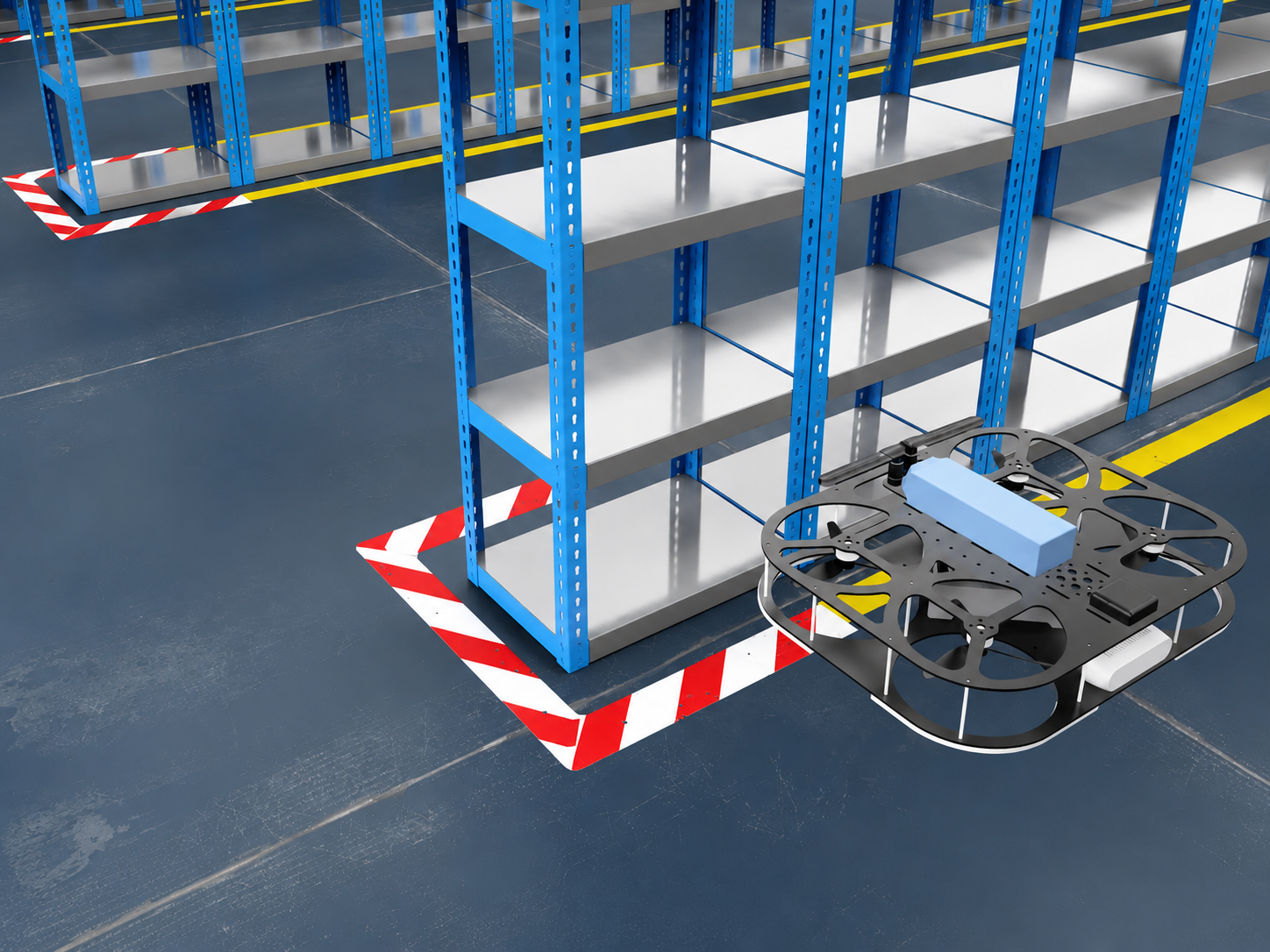
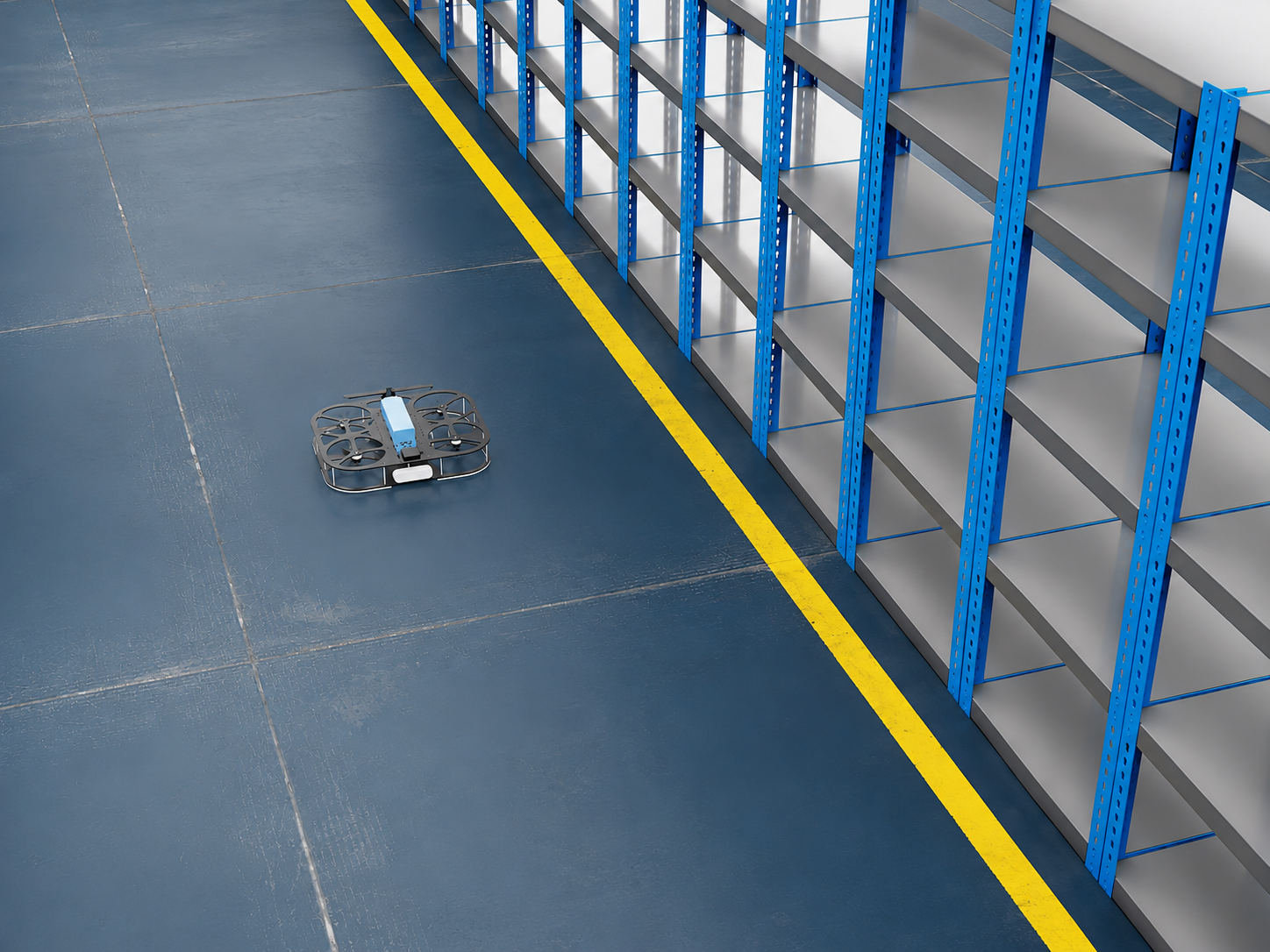
The drone works as a mobile inspector for the digital warehouse: it follows route points, inspects aisles, rack zones, and floor-marking areas, then sends visual inspection results to the system.
In this scenario, it helps detect waste, foreign objects, and potential obstacles for micro-loaders. Such events can be shown in the digital twin, linked to warehouse coordinates, and sent to the operator as an inspection task.
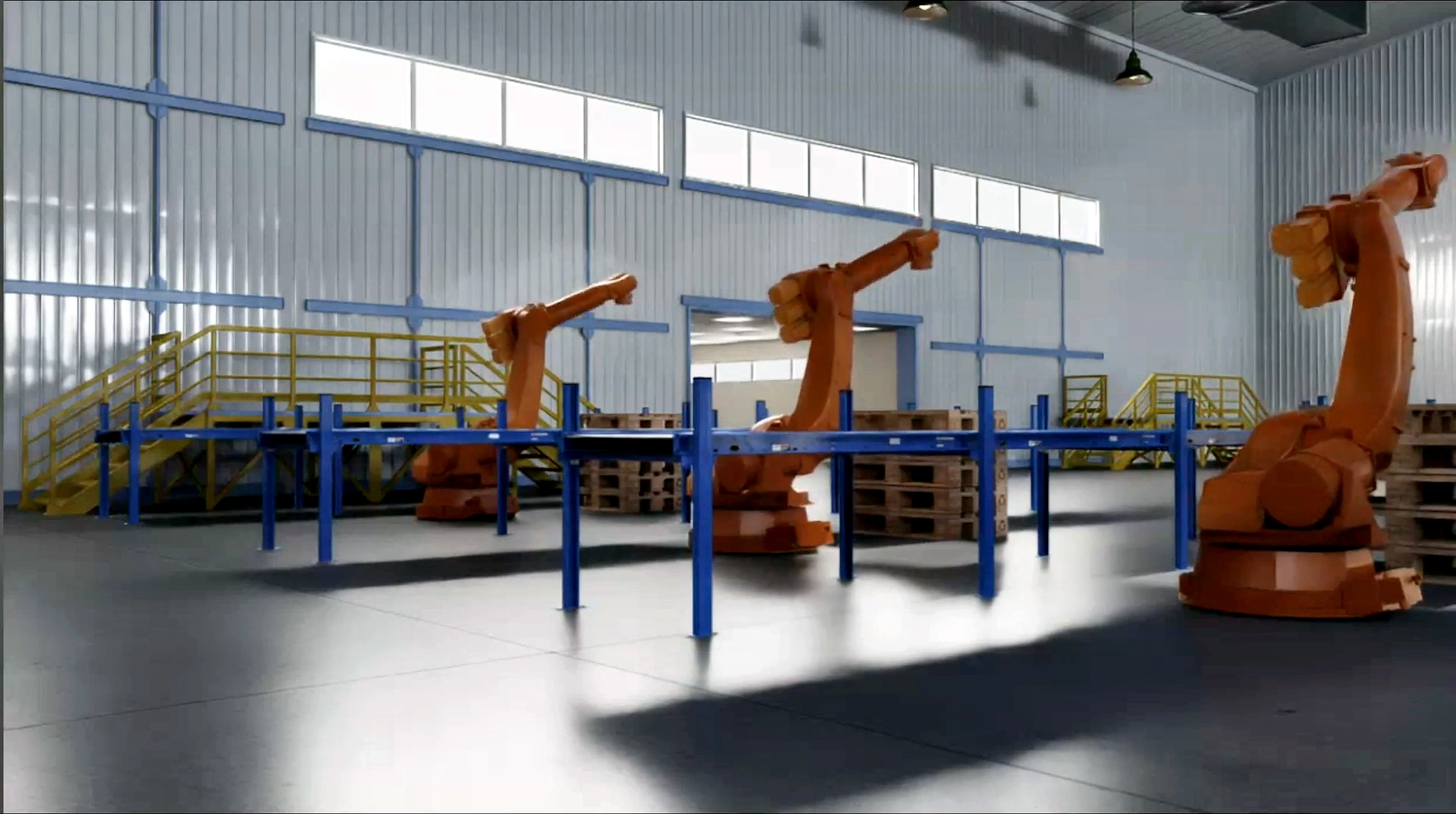
A track for describing individual machines, robots, cabinets, conveyors, and packaging units. Even without finished photos, a technical page can be built around equipment composition, states, events, constraints, inputs, and outputs of the model.
Visual Assets
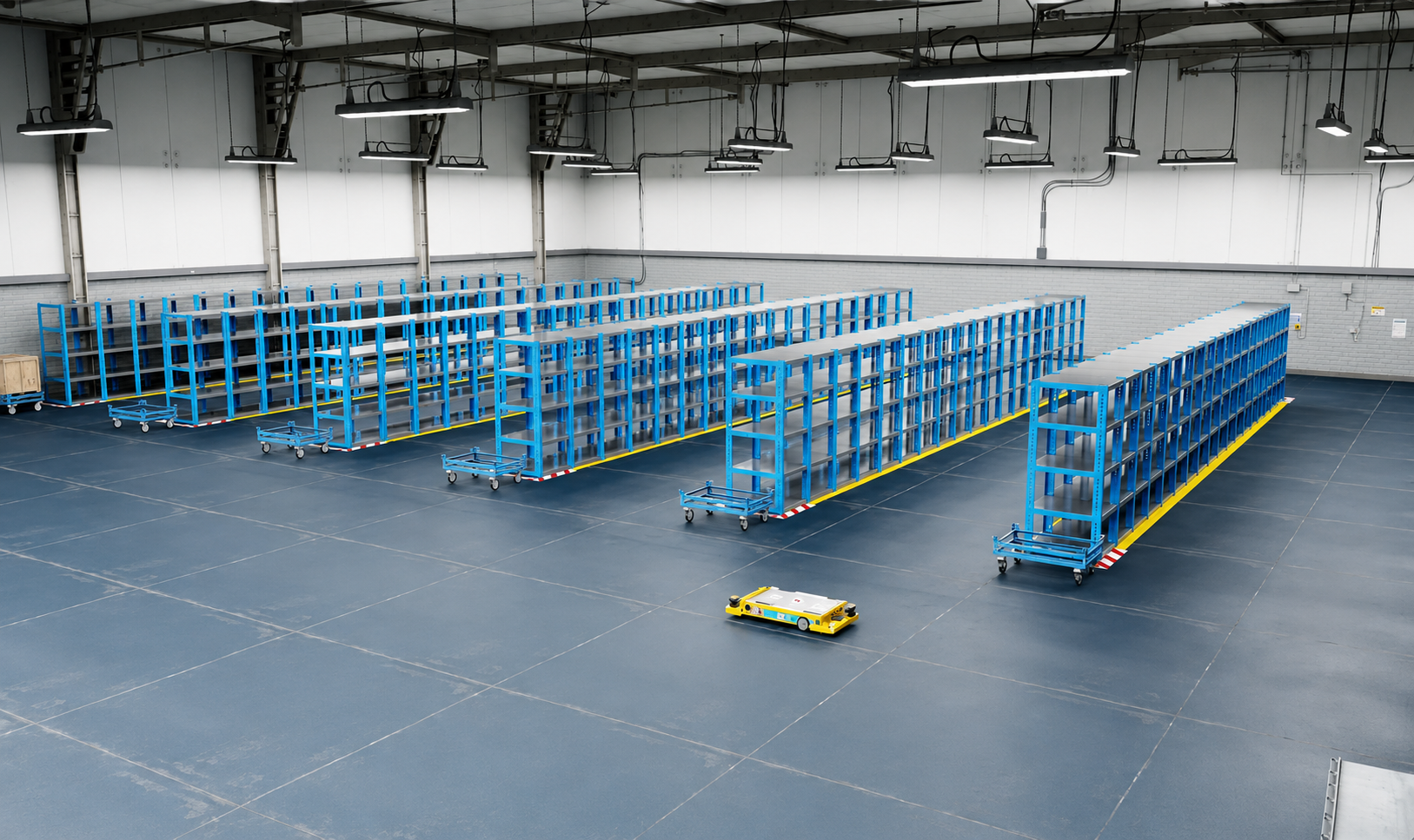
The page uses real renders and videos: routes, warehouse racks, micro-loaders, robotic arms, movement-zone visualization, and patrol drone footage.
What Else We Can Build
These areas naturally complement current projects and help turn visualization into a working tool for engineers, logistics teams, and production managers.
Testing robot, conveyor, cabinet, sensor, and PLC scenario logic before equipment launch on site.
Comparison of AGV/AMR movement schemes, calculation of conflicts, downtime, queues, and narrow-aisle load.
Scene generation for training industrial vision models: waste, pallets, boxes, aisles, and hazardous zones.
A monitoring screen showing equipment state, routes, tasks, storage occupancy, and shift events.
You can start with one area: palletizing, warehouse logistics, a robotic cell, warehouse patrol, or individual equipment. The model can then expand into a unified digital ecosystem for the enterprise.
Need help? Contact us in any convenient way.
Support specialists are available around the clock and are ready to help with any questions.
Message us on Telegram. We will reply shortly.
Describe your request in detail using the feedback form.