Keyword search
Popular searches:
Error
An error occurred during the request.
Nothing was found
Try to change the query

Kvantron Smart Markirovka
A software platform for marking, aggregation, and product traceability
.png)
About the Software
Kvantron Smart Маркировка — industrial software for managing marking codes on production lines. The system combines code acquisition, printing, application, reading, validation, aggregation, accounting, reporting, and equipment management all within a unified digital environment.
The solution is suitable for automated, semi-automated, and manual marking areas, where it's important not just to print a code, but to guarantee each product is correctly marked, verified, accounted for, and linked to the required packaging level.
The core idea of the system
From a single code — to the complete product history
Kvantron Smart Маркировка links together:
- marking code;
- product and GTIN;
- production batch;
- release date;
- production task;
- marking line;
- reading and validation outcome;
- L1 packaging;
- L2 packaging;
- user reporting and actions.
Thanks to this, the enterprise receives not fragmented info about codes, but a clear digital picture of release: what was produced, when, on which line, with which code, in what packaging, and with what verification result.
.png)
What tasks does Kvantron Smart Markirovka Solve?
The system covers key marking tasks in manufacturing:
Task Management for Marking
Create, start, stop, resume, and finish assignments.
Marking Code Operations
Receiving, storing, distributing, printing, decommissioning, and accounting for codes.
Code Printing and Application
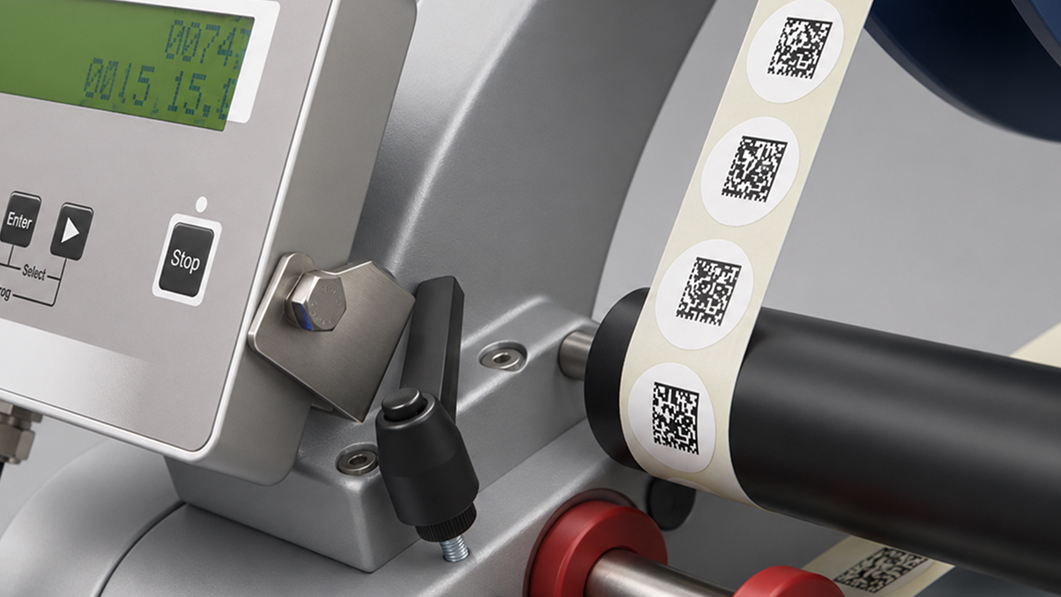
Working with printers, print templates, Data Matrix, and labels.
Reading & Validation
Check that the code is applied correctly, read, and meets requirements.
Duplicate Check
Prevent duplicate use of a code.
L1 and L2 Aggregation
Linking unit codes with group and transport packaging.
Product Traceability
Track product path from unit package to shipping batch.
Line Equipment Management
Integration with readers, cameras, printers, I/O modules, traffic lights, and rejectors.
Reporting & Audit
Task stats, validated code reports, and user action logs.
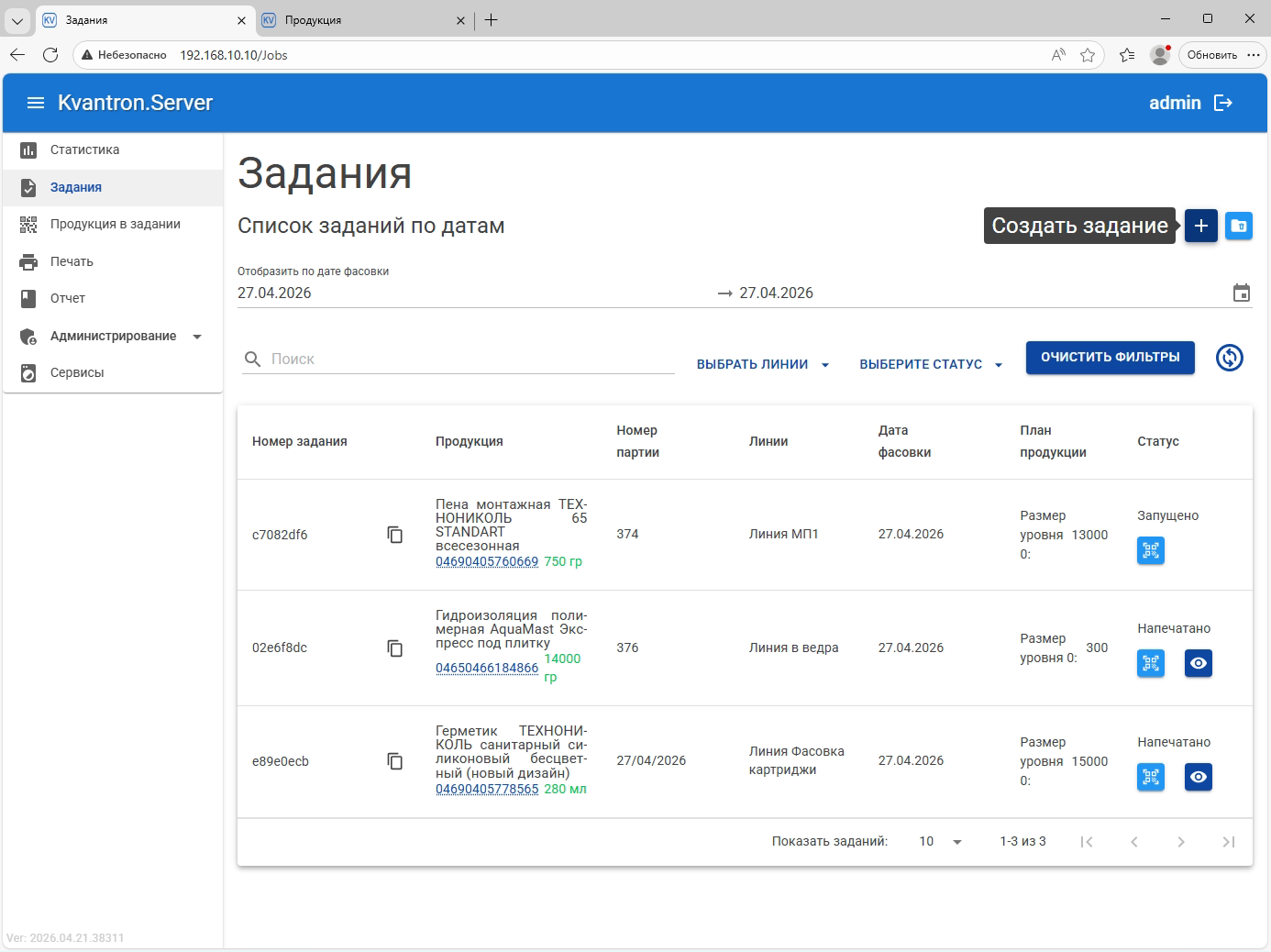
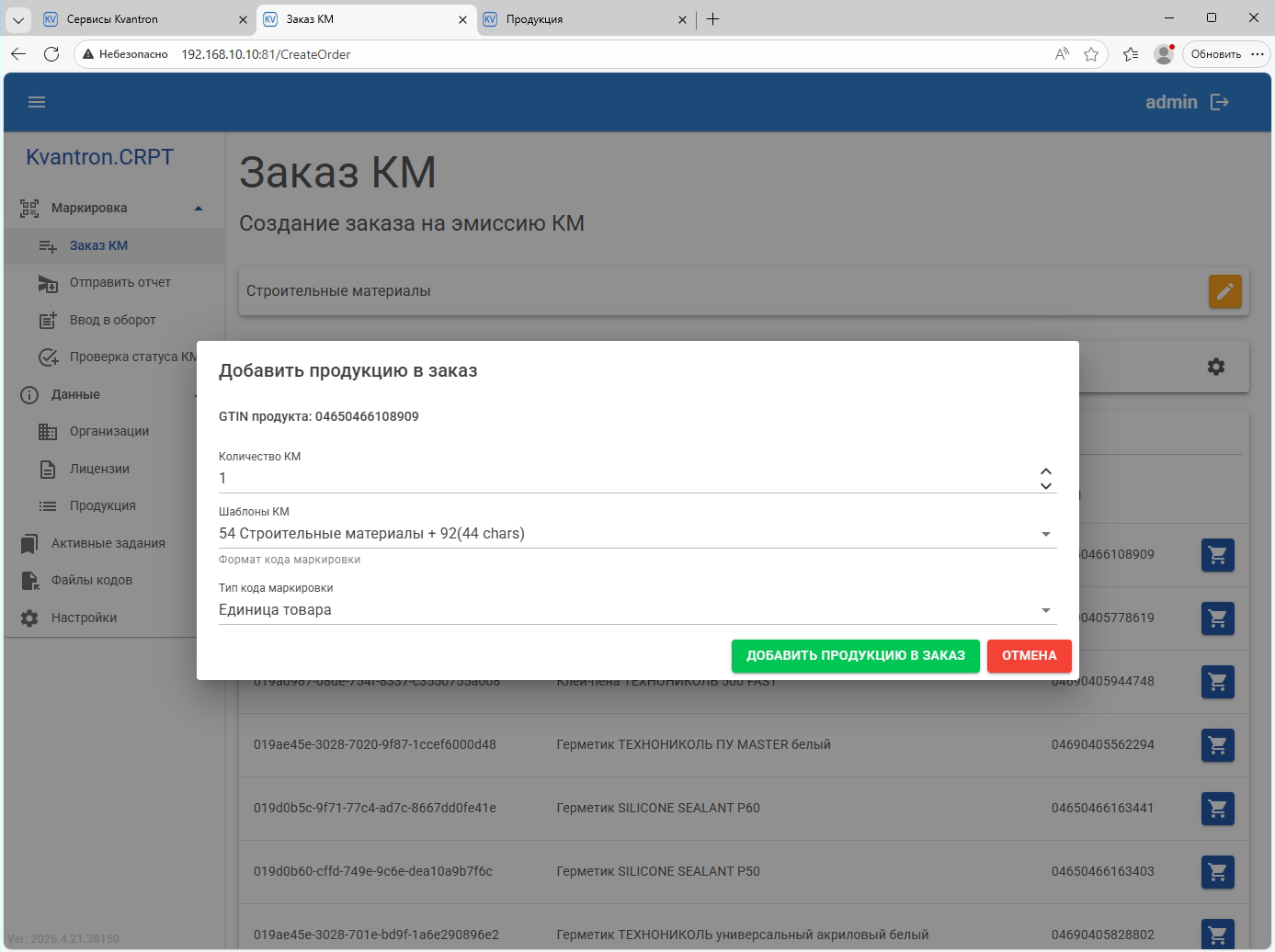
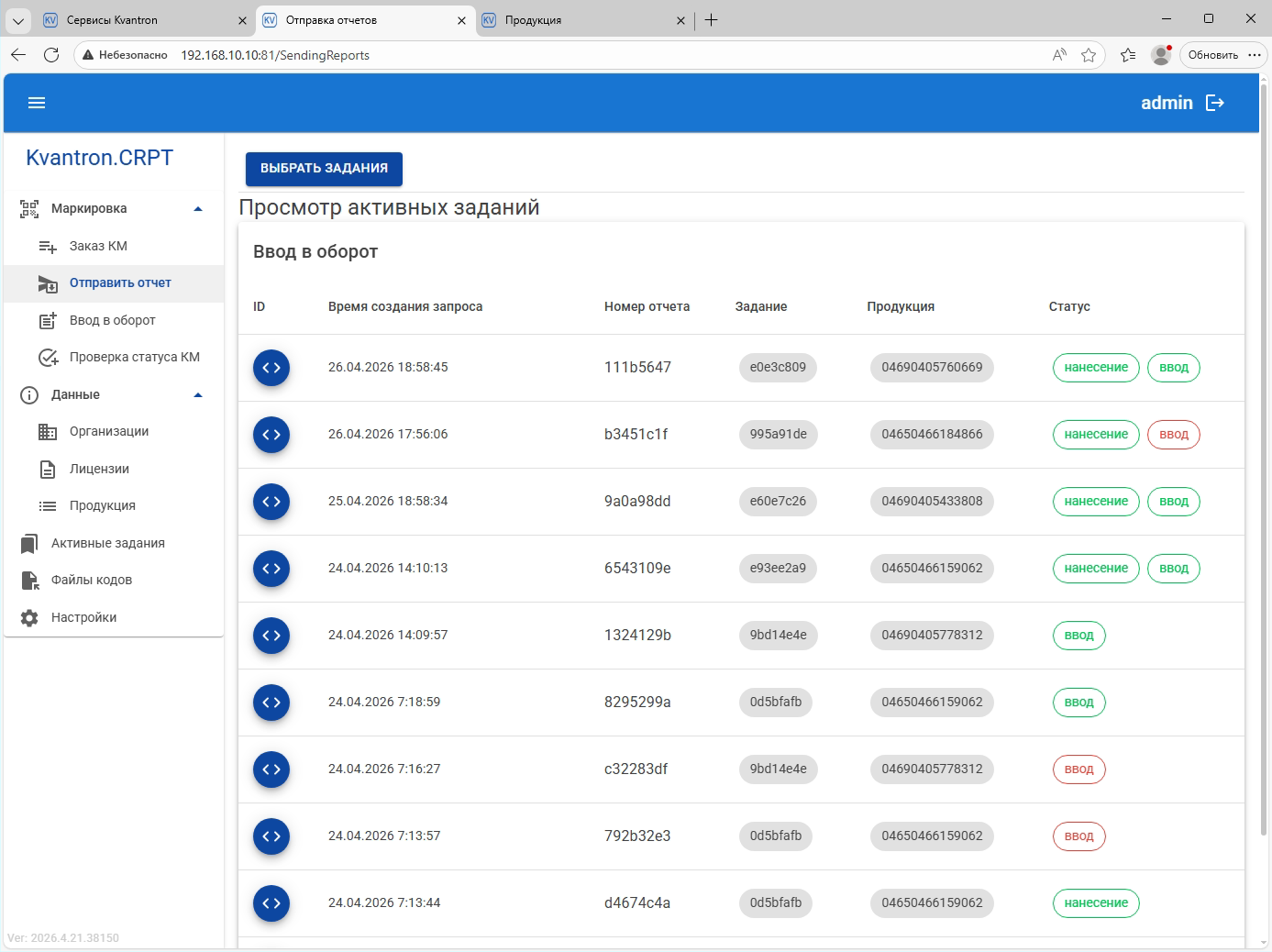
Smart Server as part of the suite handles assignment management, stats, pre-printing, validated code reports, duplicate detection, and code operation audits.
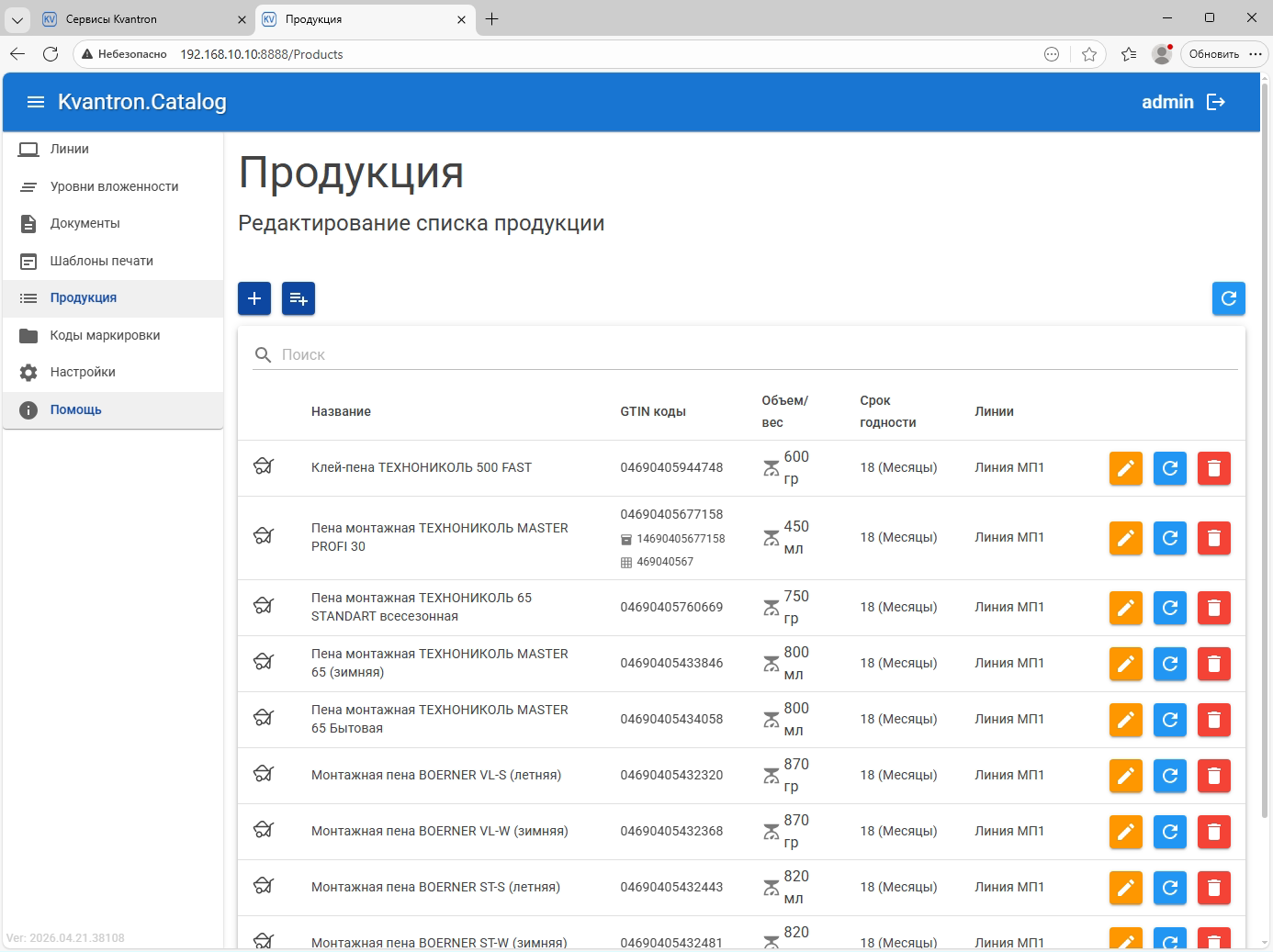
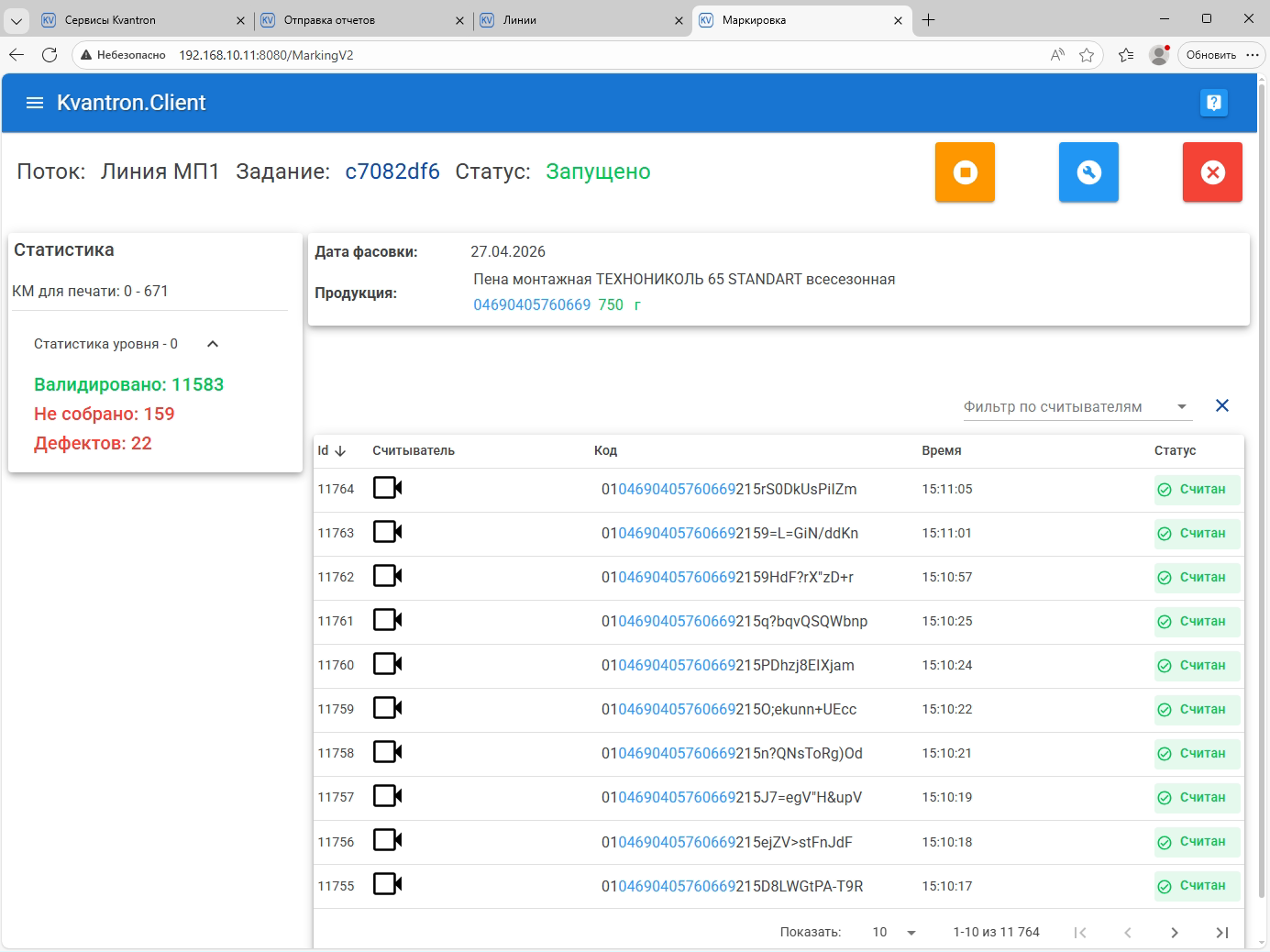
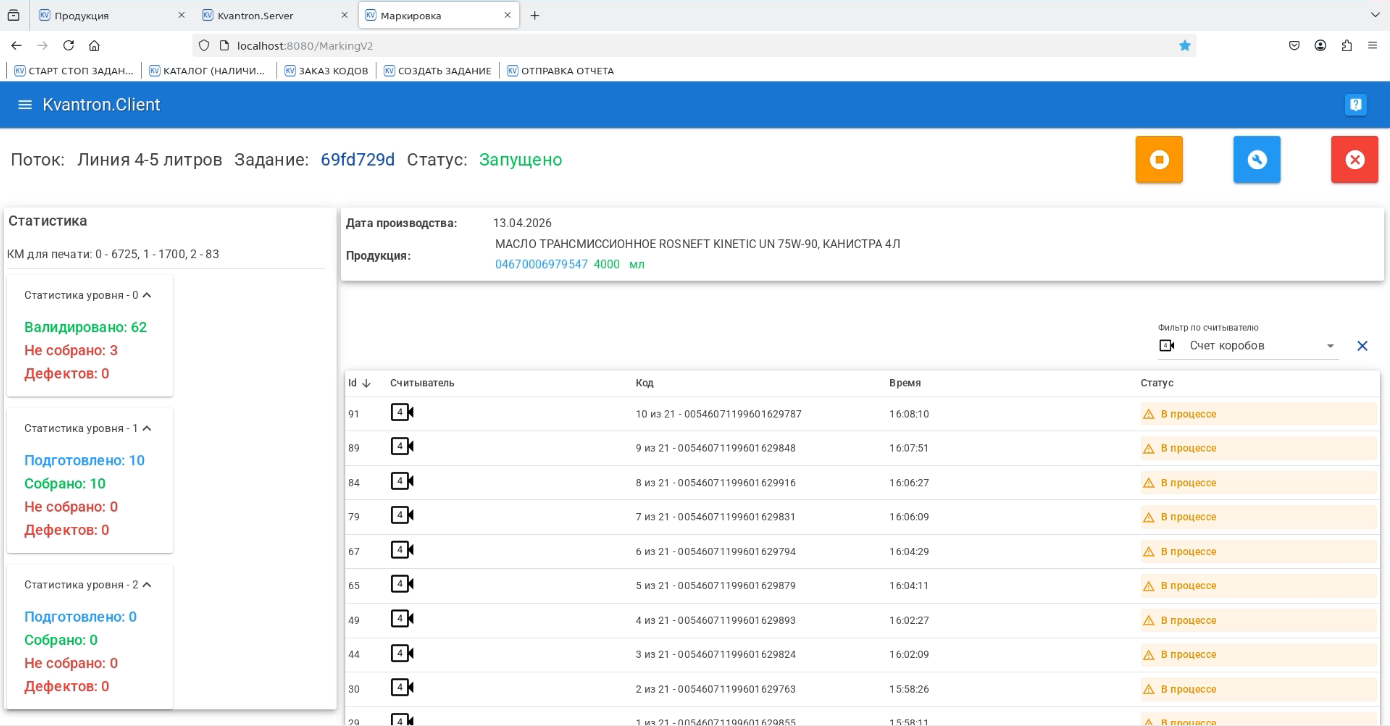
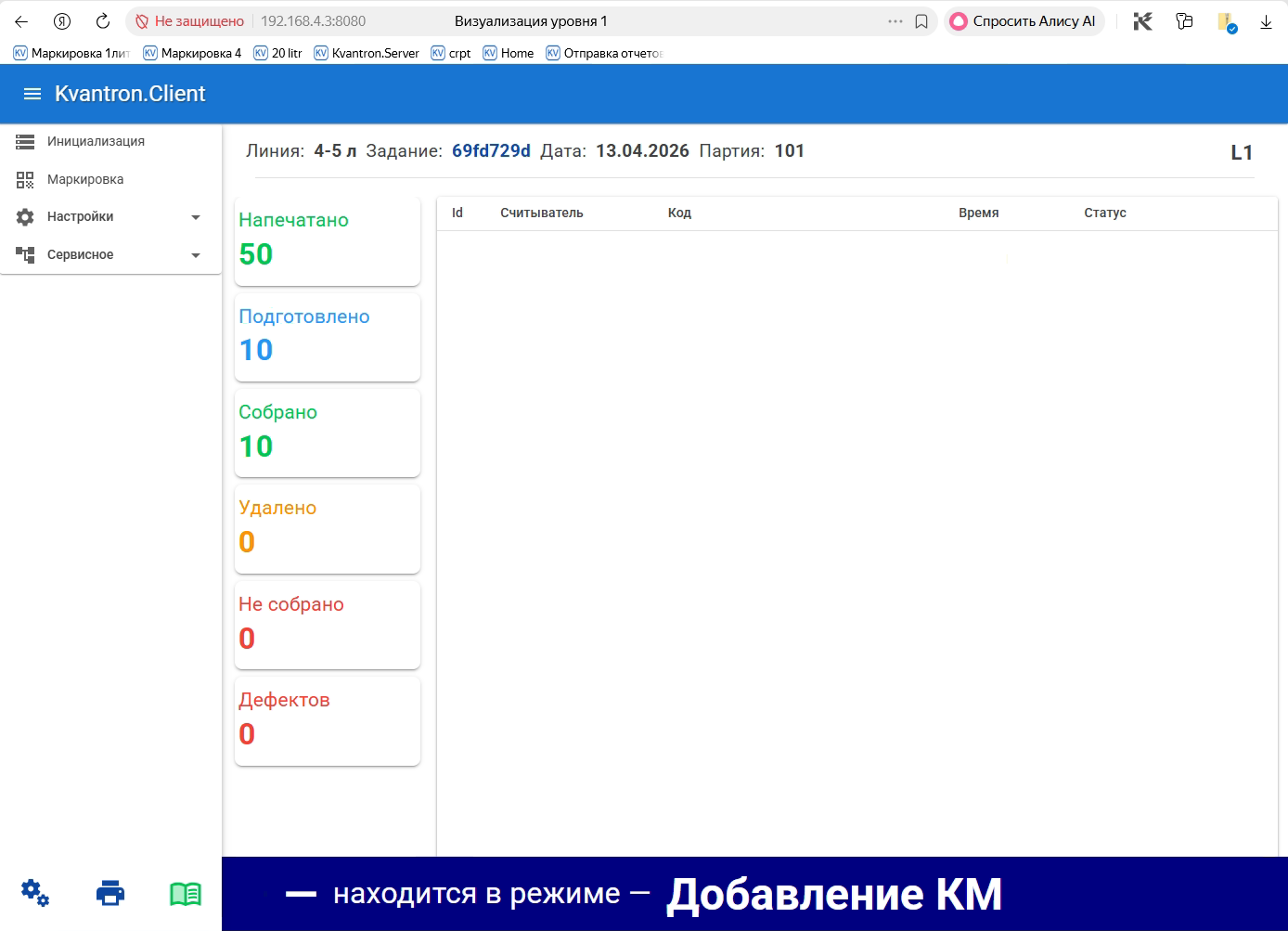
Product Traceability
Traceability in Kvantron Smart Маркировка is based on links between code, product, assignment, line, and packaging. The system allows you to see not only the fact of code application but also its full usage context.
A chain can be built for each code
-
1
Code
-
2
Product
-
3
GTIN
-
4
Batch
-
5
Production Date
-
6
Line
-
7
Assignment
-
8
Packaging
-
9
Report
Traceability Benefits
- See which codes were used for a specific task;
- Know which product each code was applied to;
- Determine the line and production batch;
- Check if the code passed validation;
- Track which packaging each product unit entered;
- Trace errors, duplicates, unread codes, and operator actions;
- Form a report on a completed task.
Smart Client includes a dedicated traceability settings block: EAN-13 verification rules, external system sources, and actions for rejects. These parameters are part of the line configuration and define the system's behavior for a specific production scenario.
.png)
Multi-level product aggregation
Unit Code
A unique marking code is assigned to each product unit. This is the base record level where the system checks that the code is received, applied, read, and validated.
L1 Packaging
Level L1 is the primary grouping package that unites several units of the product. For example, a box, block, crate, or other group container.
At this level, the system links several unit codes to one group code. This allows knowing exactly which products are included in a specific package.
L2 Packaging
L2 is the secondary packaging level, combining several L1 packages. For example, a transport package, pallet, or large logistics unit.
When creating a marking task, you can specify the number of product units in an L1 package and the number of L1 packages in an L2 package. This allows you to pre-define the packaging structure and monitor it on the line.
Logic Example
If one L1 package must have 10 product units and one L2 package must have 12 L1 packages, the system checks the structure:
120 product units → 12 L1 packages → 1 L2 package
This approach reduces packing errors when a unit might be skipped, extra products added, an incorrect code scanned, or connection between packaging levels lost.
Count-based aggregation logic
Kvantron Smart Маркировка monitors aggregation not only by fact of code reading, but also by the counting model of packaging.
The system compares:
- The required number of marked products per assignment;
- The planned number of units per L1 package;
- The planned number of L1 packages per L2 package;
- The actual number of scanned unit codes;
- The number of codes that passed validation;
- The group codes used;
- Whether there are skips, duplicates, or extra codes;
- Whether the current aggregation level is finished.
What does this give for production?
The system controls not just “ode read / unread”, but the full structure of the release:
- Prevents incomplete grouping packages;
- Prevents extra units in a package;
- Avoids mixing codes from other tasks;
- Checks the correctness of product grouping;
- Captures link between unit and group package;
- Prepares accurate reports for release results.
Layered Marking Analysis
Kvantron Smart Маркировка analyzes the process in several layers. This helps you quickly localize where a problem occurs: by code, product, packaging, task, or equipment.
-
1
Code Layer
The system monitors the status of every code:
• Received;
• Loaded;
• Issued to a task;
• Printed;
• Applied;
• Read;
• Validated;
• Not read;
• Is a duplicate;
• Has error status. -
2
Product Layer
A code is connected to a specific product, GTIN, production date, and batch. This allows you to see what products were produced and what codes were used.
-
3
L1 Packaging Layer
Checks the group package composition: how many units went to L1, are all codes read, are there missing codes, duplicates, or extra units.
-
4
L2 Packaging Layer
Analyzes the secondary packaging structure: how many L1 packages go into L2, whether aggregation is completed and whether structure matches the count logic.
-
5
Task Layer
Displays product, line, batch, release date, number of codes, L1/L2 parameters, and current status. The task table can show production date, batch number, group package sizes, status, product and GTIN.
-
6
Line Layer
On line level, the system monitors equipment: readers, printers, I/O modules, traffic light, rejector, external triggers, and stop signals.
-
7
Reporting Layer
At the top level, the system forms statistics, validated code reports, and user activity logs.
Line Equipment Management
Kvantron Smart Маркировка works not in isolation but as part of the production line. It can interact with industrial equipment:
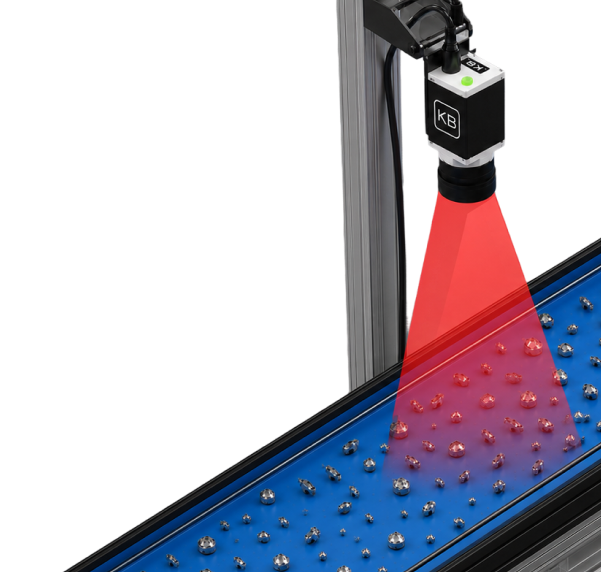
- machine vision cameras;
- code readers;
- printers;
- printer-applicators;
- manual scanners;
- I/O modules;
- product sensors;
- external triggers;
- traffic lights;
- rejectors;
- industrial operator panels.
Smart Client unifies the work of readers, printers, and I/O modules, synchronizes tasks with the server, and provides a line admin interface.
Mark Quality Control
The system checks marking results in real time. If the code is incorrectly applied, unread, duplicated, or doesn't match the assignment, the system can execute a set action.
Possible responses:
- Show operator warning;
- Activate red or yellow traffic signal;
- Send rejection signal;
- Stop the task;
- Stop the line;
- Log the event;
- Remove product from the line.
This reduces the risk of releasing products with incorrect marking and allows faster problem response.
Automated Rejection and Stop
Kvantron Smart Маркировка supports scenarios for automatic rejection and line stopping.
The system can send signals to the control module, traffic light, and actuators. Equipment settings include rejection parameters like output, extra signal, inversion, rejection type, and combining several signal outcomes into one physical signal.
This is crucial for lines where there's a physical distance between code reading and rejection points. The system must not only determine an incorrect code, but also send a command to the actuator in a timely manner.
Buffers, Delays & Synchronization
In the actual line, equipment is arranged sequentially: printer, camera, sensor, rejector, and stop point may all be at different distances.
Therefore, the system supports configuring:
- print code buffers;
- buffer minimum size;
- update stream delays;
- delay between scanning and rejection;
- delay adjustments by status “not read”, “duplicate”, “error”;
- User Sets of parameter presets;
- actions for rejection;
- idle control parameters.
This allows adapting Kvantron Smart Маркировка for specific line mechanics, conveyor speeds, equipment layout, and product specifics.
.png)
Platform Components
Smart Client
Operator and setup interface at the line. Controls task launching, equipment, scanning, validation, rejection, diagnostics, and flow settings.
Smart Server
Central management of tasks, statistics, reports, users, pre-printing, and duplicate checking.
Smart Catalog
Catalog of products, lines, documents, printing templates, unit and group codes. Used to configure products and manage marking codes.
Authorization
Module for user authorization and access control.
Printers
Service for interacting with printing equipment.
Production Benefits
Transparent Traceability
Each code is linked to product, assignment, line, batch, and packaging.
Aggregation Control
System supports unit codes, group codes, levels L1 & L2.
Reduced Packing Errors
Counting logic helps control correct package composition.
Mark Quality Control
Codes are checked for reading, validation, duplicates, and match to assignment.
Real-time Line Management
The software interacts with equipment and can trigger rejection or line stop events.
Unified Interface
Operator sees tasks, statuses, errors, equipment, and analytics in a single workspace.
Reporting & Audit
System logs validated codes, stats, user actions, and event history.
How does the system work
-
1
Reference Setup
Lines, products, documents, print templates, and code parameters are created in the system.
-
2
Assignment Creation
Operator selects line, product, production date, batch, number of codes, and L1/L2 packaging parameters.
-
3
Line Start
Smart Client receives a task, initializes equipment, and launches the marking process.
-
4
Code Application
Code is printed or applied to the product.
-
5
Scanning & Validation
Camera or reader checks the applied code.
-
6
Aggregation
Unit codes are linked to L1 packaging, L1 packages — to L2 packaging.
-
7
Error Control
On an error, the system can signal, reject, or stop the line.
-
8
Reporting
Upon task completion, statistics, event logs, and reports are formed.
Where to Use
Kvantron Smart Маркировка is ideal for:
- automated marking lines;
- manual and semi-automatic stations;
- Data Matrix lines;
- production with mandatory marking;
- lines with group packaging;
- lines with transport packaging;
- manufacturers where traceability is crucial;
- enterprises needing to control aggregation and production release.
.jpg)
Kvantron Smart Markirovka — more than just code printing software
Kvantron Smart Маркировка — is a marking management system, controlling the entire process: from code acquisition, application, verification, aggregation, packaging, reporting, to equipment control.
The system helps enterprises release products with correct markings, control multi-level aggregation, and enable traceability for each product unit.
Want to implement marking with aggregation and traceability on your production line?

Leave a Request
We will select Kvantron Smart Markirovka configuration for your products, equipment, packaging levels, and accounting needs.
Service & Support
Need help? Contact us in any convenient way.
-
+7 (4912) 72-22-701.
Call
Support specialists are available around the clock and are ready to help with any questions.
-
2.
Message Us
Message us on Telegram. We will reply shortly.
-
Open Form3.
Create a Request
Describe your request in detail using the feedback form.