Keyword search
Popular searches:
Error
An error occurred during the request.
Nothing was found
Try to change the query

Kvantron Preform Inspection Machine
Online system for PET preform quality control
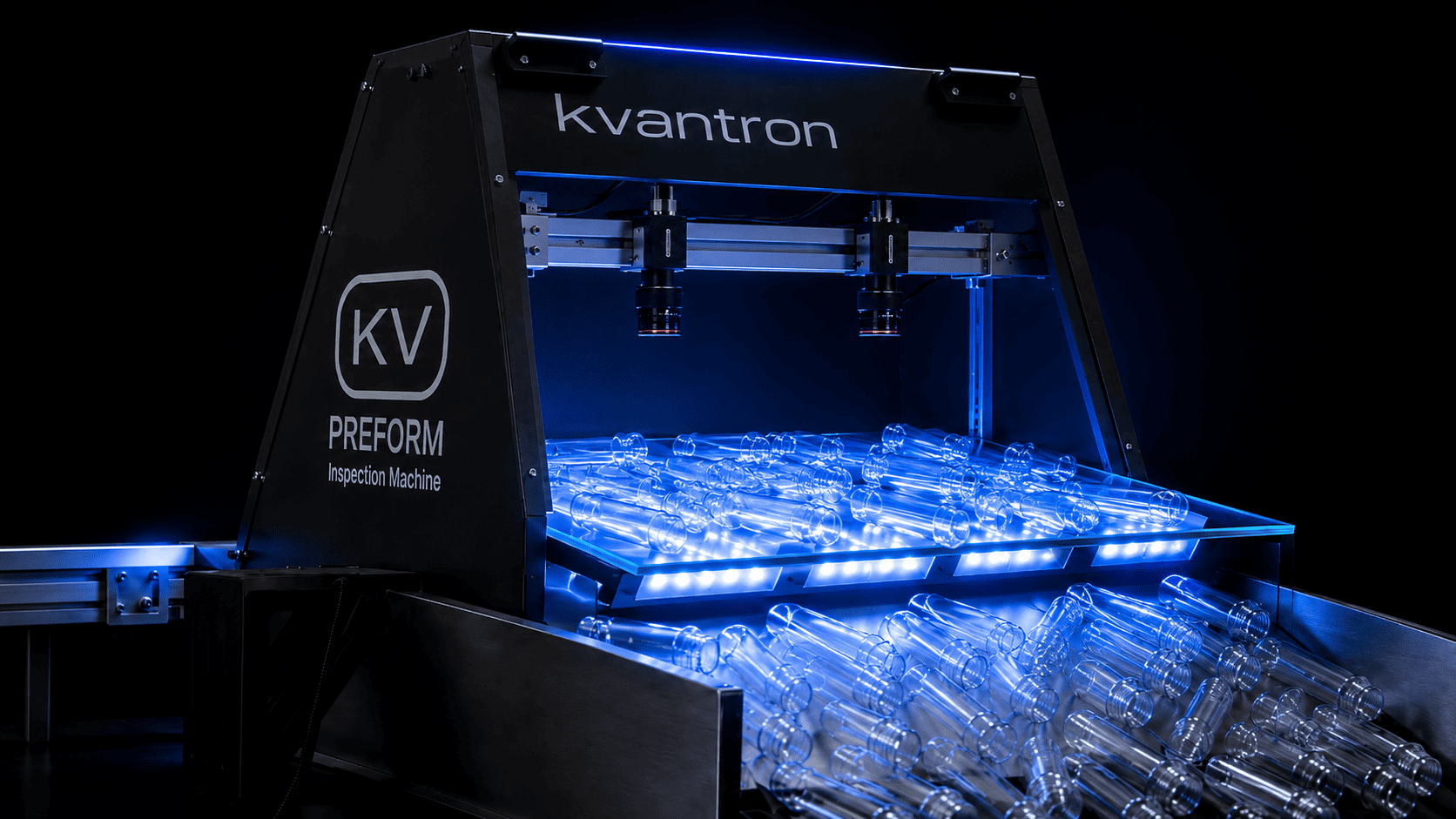

Kvantron Preform Inspection Machine
-
In-process control
The system operates directly on the line, analyzing each preform in real time without stopping production.
01. -
Defect detection
Detects defects in shape and body of the preform: bubbles, inclusions, scratches, chips, geometry deviations, and other quality issues.
02. -
Statistics & response
Tracks defect statistics by batches and shifts. Helps quickly respond to process deviations before mass defects arise.
03.
Quality control without production stops
The system is installed on the production line after the molding machine. The flow of preforms passes through the inspection zone, where cameras capture images of the products against an adjustable backlight. After analysis, preforms are sent further to storage or, if necessary, a signal is sent for rejection or conveyor switching.
The solution is designed for early detection of defects, reduction of defective output, and improved process stability.
What types of defects does Kvantron Preform Inspection Machine detect?
Shape defects
- Increased injection point
- Neck short shot
- Preform geometry deviation
Body defects
- Color or shade change
- Air bubbles
- Crystallization and material haze
- Contamination and foreign inclusions
Simultaneous multiparameter detection
- Detects several types of defects on a single preform in one go
- Comprehensive quality control of each preform
- Accurate classification of defect reasons
Operating principle
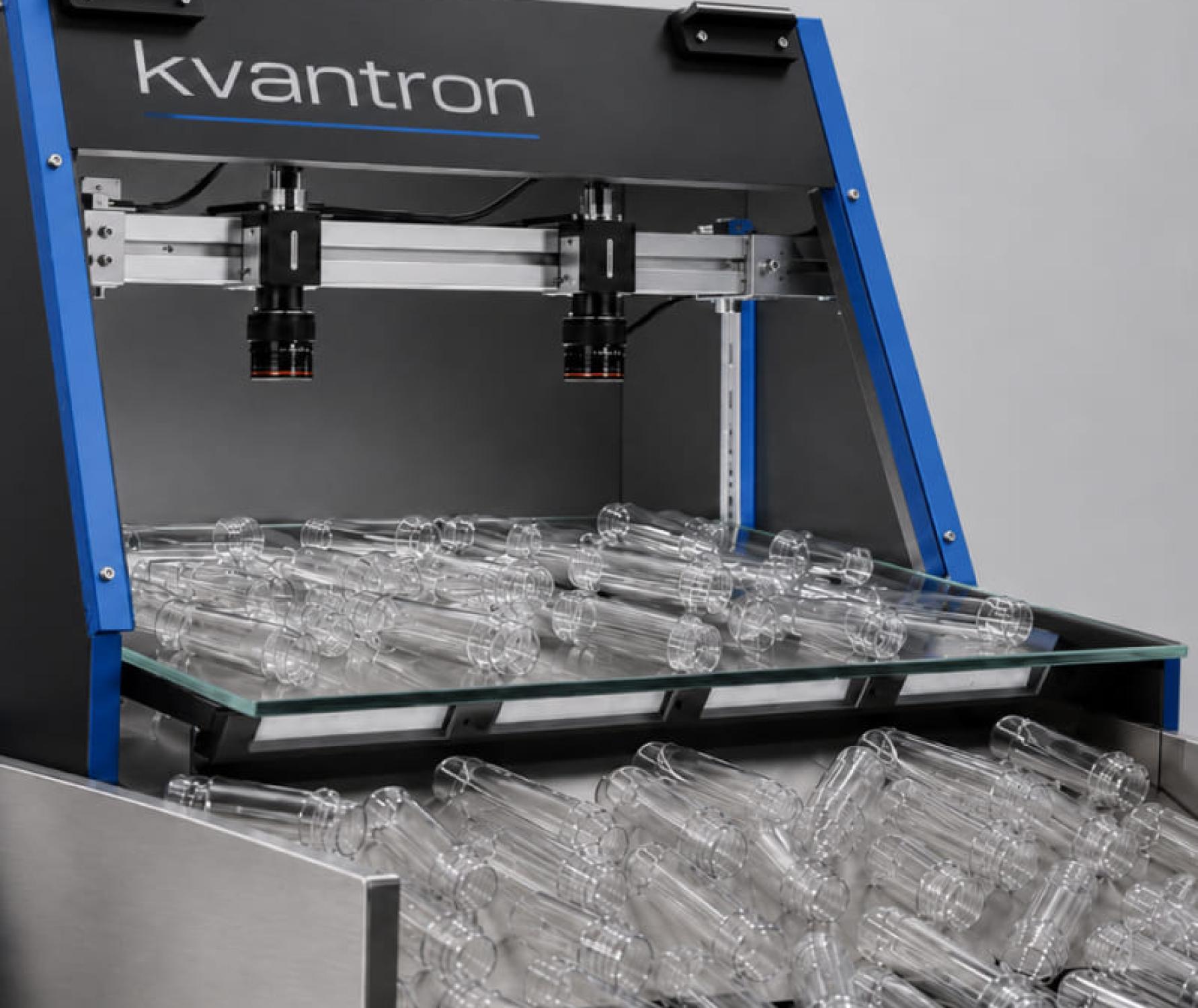
Inspection is based on thorough optical analysis of preforms under transmitted light. Preforms move along the inspection table made of wear-resistant, impact-proof glass, with a LED backlight underneath. Cameras capture the image of the product, after which Kvantron Smart software processes the frame, highlights the preform, normalizes position, and analyzes defects.
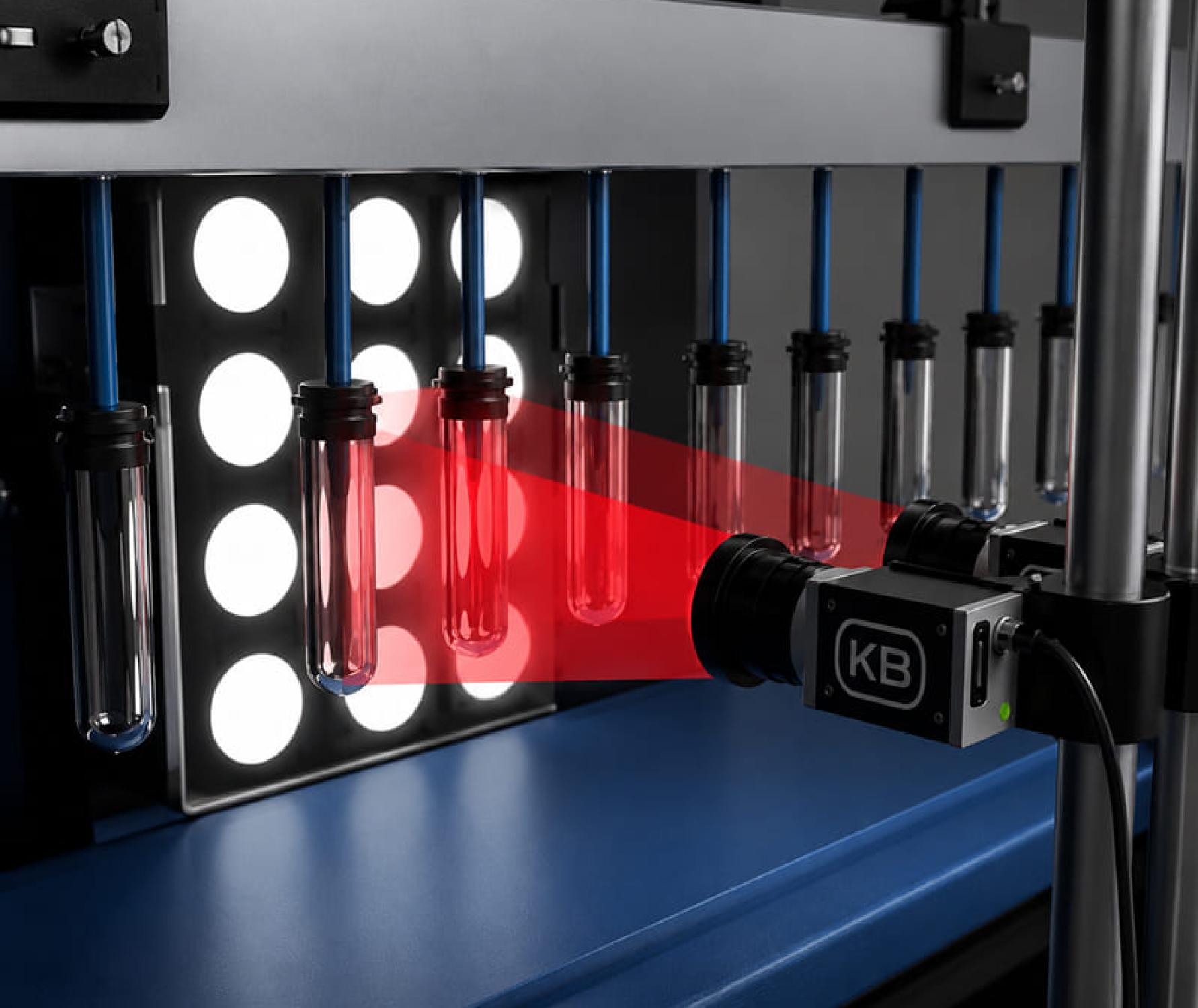
Processing algorithms
-
Background subtraction
01. -
Adaptive threshold filtering
02. -
Contour detection
03. -
Filtering incomplete or incorrect objects
04. -
Image rotation and projection transformation
05. -
Neck, injection point, and center analysis
06. -
Current parameter comparison with reference and set tolerances
07.
Color and transparency control
The system compares current preform images with the reference color set by the operator, and detects deviations by transparency, tint, and color intensity. This enables detection of batches with insufficient or excess coloring, yellowing, darkening, or other color deviations. According to relevant documentation, comparable systems can control minor color differences, including a typical threshold of ΔE > 2 for light and transparent preforms.
Analytics, reports, operator features
The operator receives a convenient interface to launch inspections, set batch parameters, monitor defect trends, and view images of rejected preforms. The system displays current operating parameters, number of produced and checked items, number of filled boxes, defect statistics, and the status of the inspection table.
The software allows you to:
- start and stop inspection;
- set article number and number of cavities;
- configure tolerance for each defect type;
- enable or disable conveyor response to specific defects;
- view thumbnails and large images of defective preforms;
- generate operator reports, defect reports and box reports;
- analyze defect trends by shift, hour, or day.

Integration into production line
The system is custom designed for each production line and can be integrated with minimal equipment configuration changes. The inspection table is made of AISI 304 stainless steel, equipped with impact resistant glass and an adjustable LED backlight. The base materials indicate the recommended worktable size 700 × 400 mm. Exact size is defined during project stage for your line.
For higher inspection rate, a preform flow dividing and aligning device may be used, which lowers the chance of overlapping and increases the number of correctly analyzed objects.
Preform inspection ratio
In base configuration, the average inspection ratio is about 85% of the total output. The rate can be increased via additional orientation and flow equalization. Preforms are not analyzed if out of view, partially framed, or blocked by other preforms during inspection.
Benefits of the solution
-
Early rejection detection
The system helps detect defects at the production stage, before large batches of rejected products are accumulated.
01. -
Online control in real-time flow
Analysis is conducted right as preforms move through the inspection zone.
02. -
Multiple defect detection at once
A single preform can be checked for several parameters: shape, color, transparency, contamination, bubbles, crystallization, and more.
03. -
Adjustable tolerances
Operator can modify sensitivity thresholds per article, color, material, and customer requirements.
04. -
Visual & audio alerts, line signals
If parameters go out of range, the system can alert the operator and send a signal to actuators or conveyor switching.
05. -
Photo logging & reporting
All detected defect data is saved; images of defective preforms can be reviewed. Reports are generated for quality analysis.
06.
System components
The standard system includes:
- inspection table with backlight;
- industrial cameras;
- light-shielding screen;
- control cabinet;
- Kvantron Smart / Kvantron Preform Inspection Machine software;
- operator interface;
- light signal devices;
- report generation module;
- interfaces for connection to the production line.
Who is the system for?
The solution is intended for PET preform manufacturers, packaging industry enterprises, beverage, food, household chemicals, cosmetics, and other companies where stability of preform quality directly affects final product output.
Service & Support
Need help? Contact us in any convenient way.
-
+7 (4912) 72-22-701.
Call
Support specialists are available around the clock and are ready to help with any questions.
-
2.
Message Us
Message us on Telegram. We will reply shortly.
-
Open Form3.
Create a Request
Describe your request in detail using the feedback form.